FontBlush

Instagram Fonts Generator ๐Ÿ“ธ Copy & Paste Stylish Fonts

0/80
24 styles
Recently Copied
โญ Your Favorites
๐Ÿ”
No styles match your search
๐Ÿ“ธ Instagram Fonts Generator  โ€ข  200+ Unicode Styles  โ€ข  100% Free

Instagram Fonts โ€”
Copy and Paste Free

Generate stylish Instagram fonts instantly โ€” copy and paste cool, aesthetic and cute text for Instagram bios, usernames, captions, stories and reels. Free forever, no sign-up needed.

โšก Instant Preview
๐Ÿ“‹ One-Click Copy
๐Ÿ“ธ Made for Instagram
๐ŸŽจ 200+ Styles
๐Ÿ”’ No Sign-Up Required
๐Ÿ“ธ Instagram Bio โœ๏ธ Captions ๐Ÿ“– Stories ๐ŸŽฌ Reels ๐Ÿ‘ค Username ๐Ÿ’ฌ Comments
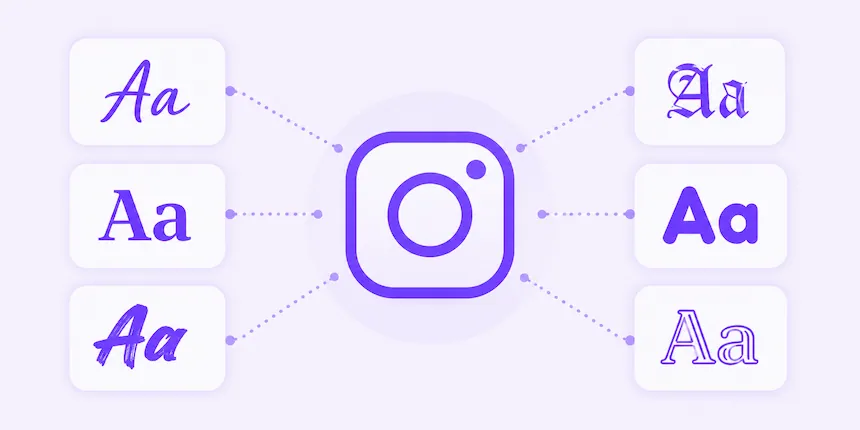
Instagram fonts for bios captions and usernames illustration on FontBlush

Generate Instagram fonts instantly with our free FontBlush generator โ€” 200+ Unicode text styles ready to copy and paste directly into your Instagram bio, username, captions, stories, and reels. No app download, no sign-up, and no design skills needed. Type your text above, choose a style, and paste it into Instagram in seconds.


Our generator includes 200+ styles organized into easy categories. Here are the most used font styles on Instagram every day:

๐ŸŒธ Aesthetic
๐’ถโ„ฏ๐“ˆ๐“‰๐’ฝโ„ฏ๐“‰๐’พ๐’ธ
Dreamy cursive scripts โ€” the most popular style for Instagram bios and soft girl aesthetic profiles. Explore our full aesthetic fonts collection for more.
๐ŸŒธ Cute
โ“’โ“คโ“ฃโ“” โ“ฃโ“”โ“งโ“ฃ
Bubble text, tiny text, and small caps โ€” playful styles loved by TikTok and Instagram creators. Browse our cute fonts page for more options.
๐Ÿ’ช Bold
๐—•๐—ผ๐—น๐—ฑ ๐—ง๐—ฒ๐˜…๐˜
Strong, confident text for captions and usernames that need to stand out in any Instagram feed or profile page.
โœ๏ธ Cursive
๐’ž๐“Š๐“‡๐“ˆ๐’พ๐“‹โ„ฏ
Elegant handwriting styles โ€” hugely popular for personal branding, creative accounts, and lifestyle Instagram bios.
๐ŸŽˆ Bubble
โ“‘โ“คโ“‘โ“‘โ“›โ“”
Round, friendly circles that look fun and approachable โ€” a top pick for Instagram usernames and story highlights.
๐Ÿฐ Gothic
๐”Š๐”ฌ๐”ฑ๐”ฅ๐”ฆ๐” 
Old English and Fraktur styles for dark, dramatic Instagram profiles โ€” popular with art, gaming, and alternative communities.

All styles above are Unicode text โ€” meaning they copy and paste perfectly into Instagram on both iPhone and Android without any special app.

Instagram Fonts for Bio

Your Instagram bio is the first thing visitors see โ€” and the right font style can communicate your personality before they read a single word. Stylish bio text increases profile visits, improves follower conversions, and makes your account look more professional and intentional.

Best Styles for Instagram Bio

Cursive and bold script styles work best for personal and lifestyle accounts. Small caps and minimal styles suit business and creator profiles. Bubble text adds a fun, approachable energy perfect for entertainment accounts.

Soft Girl Bio Example
๐ŸŒธ ๐’น๐“‡โ„ฏ๐’ถ๐“‚๐’พ๐“ƒโ„Š ๐’ถ๐“ƒ๐’น ๐’ธ๐“‡โ„ฏ๐’ถ๐“‰๐’พ๐“ƒโ„Š โœจ
แด„แดษดแด›แด‡ษดแด› แด„ส€แด‡แด€แด›แดส€ ยท สŸษช๊œฐแด‡๊œฑแด›สสŸแด‡
Paste this directly into your Instagram bio โ€” works on all devices
Bold Personal Brand Bio
๐—™๐—ผ๐˜‚๐—ป๐—ฑ๐—ฒ๐—ฟ ยท ๐—–๐—ฟ๐—ฒ๐—ฎ๐˜๐—ผ๐—ฟ ยท ๐——๐—ฟ๐—ฒ๐—ฎ๐—บ๐—ฒ๐—ฟ
๐Ÿ“ Based in NYC
Clean and professional โ€” great for business and creator accounts

Instagram Fonts for Usernames

Instagram username fields support Unicode characters โ€” meaning you can use stylish text in your display name (the name shown on your profile, not the @handle). This is one of the most effective ways to make your profile stand out instantly in search results and follower lists.

Username Style Tips

  • Keep it readable โ€” avoid overly complex styles that are hard to search or remember
  • Match your brand โ€” soft cursive for lifestyle, Gothic for gaming, bold for business
  • Test first โ€” paste into a notes app before saving to check display on your device
Username Examples
๐“ข๐“ฝ๐“ช๐“ป๐“ญ๐“พ๐“ผ๐“ฝ ๐““๐“ป๐“ฎ๐“ช๐“ถ๐“ผ
หขแต—แตƒสณแตˆแต˜หขแต— แตˆสณแต‰แตƒแตหข
๐”–๐”ฑ๐”ž๐”ฏ๐”ก๐”ฒ๐”ฐ๐”ฑ ๐”‡๐”ฏ๐”ข๐”ž๐”ช๐”ฐ
Three different styles โ€” same name, three different personalities

Instagram Fonts for Captions

Adding styled text to your Instagram captions instantly draws more attention and engagement. Bold text highlights key phrases. Cursive adds an elegant, editorial feel. Even a single stylish word in a caption creates a visual hook that stops the scroll.

Caption Example
๐— ๐—ผ๐—ป๐—ฑ๐—ฎ๐˜† ๐—บ๐—ผ๐—ฟ๐—ป๐—ถ๐—ป๐—ด ๐˜ƒ๐—ถ๐—ฏ๐—ฒ๐˜€ โ˜€๏ธ
๐’ธ๐‘œ๐’ป๐’ปโ„ฏโ„ฏ, ๐’ธ๐“‡โ„ฏ๐’ถ๐“‰๐’พ๐“‹๐’พ๐“‰๐“Ž, ๐’ถ๐“ƒ๐’น ๐“‚๐’ถ๐“ƒ๐’พ๐’ปโ„ฏ๐“ˆ๐“‰๐’ถ๐“‰๐’พ๐‘œ๐“ƒ
Mix bold and cursive in one caption for maximum visual impact

Instagram Story Fonts

While Instagram Stories have their own built-in text tools, you can add an extra layer of personality by pasting Unicode text styles into the story text field. Use styled text for story polls, countdowns, link stickers, and highlight cover labels to create a cohesive, branded aesthetic across your entire profile.

Story Text Ideas
โœจ ๐“ƒโ„ฏ๐“Œ ๐“…๐‘œ๐“ˆ๐“‰ ๐“Š๐“… โœจ
๐Ÿ“ ๐’ธ๐’ฝโ„ฏ๐’ธ๐“€ ๐“‰๐’ฝโ„ฏ ๐“๐’พ๐“ƒ๐“€ ๐’พ๐“ƒ ๐’ท๐’พ๐‘œ
๐ŸŒธ หขแตƒแต›แต‰ แต—สฐโฑหข แถ แต’สณ หกแตƒแต—แต‰สณ
Paste directly into Instagram story text box on iPhone or Android

How Instagram Fonts Work

Many people wonder why styled text copies and pastes so well across platforms including Instagram. The answer lies in Unicode โ€” the international text standard that every device and operating system supports by default.

Unicode Characters Explained

The Unicode standard contains over 140,000 characters โ€” including not just letters and numbers but also mathematical symbols, ancient scripts, and decorative alphabets that visually resemble bold, italic, cursive, and Gothic font styles. When our generator converts your text, it replaces each standard letter with its Unicode equivalent that looks like a different font style.

Why These Are Not Real Fonts

Real fonts are files installed on a device or loaded by a website โ€” they only display correctly where that font file exists. Instagram's own app interface, for example, runs on its official Instagram Sans typeface, a custom font file the platform controls directly. Unicode characters work differently โ€” they are already built into every modern smartphone, tablet, and computer. This is why Instagram fonts generated on our tool display correctly for every person who sees them โ€” no font installation needed on either end.

Why Copy and Paste Works

Because our styled text is plain Unicode โ€” not images, not special files โ€” it transfers perfectly through any copy-paste operation. Instagram, TikTok, Discord, WhatsApp, and virtually every other platform treat Unicode characters as standard text and display them correctly. Your followers see exactly what you see in the generator preview.


How to Use the Instagram Fonts Generator

Our generator is designed to be fast and simple. Three steps from typing to pasting into Instagram:

1
Enter Your Text
Type your bio, username, caption line, or any text into the input box above. All 200+ styles update instantly in real time.
2
Choose a Font Style
Browse the style cards โ€” filter by Cute, Cursive, Bold, Gothic, and more. Star your favorites for quick access later.
3
Copy and Paste into Instagram
Click the Copy button on any style. Open Instagram, go to your bio or caption field, and paste. Done โ€” no app needed.

The same tool also works perfectly for fancy text on other platforms โ€” TikTok, Discord, WhatsApp, Facebook, and gaming usernames all support the same Unicode characters.

Where Can You Use Instagram Fonts?

Unicode text works across every field in Instagram that accepts typed text. Here is a complete guide to where you can use styled text on the platform:

๐Ÿ“ธBio
๐Ÿ‘คUsername
โœ๏ธCaptions
๐Ÿ“–Stories
๐ŸŽฌReels
๐Ÿ’ฌComments
๐Ÿ“จDirect Messages
๐Ÿ”–Highlights
๐Ÿ”—Link in Bio

Do Instagram Fonts Work on All Devices?

Yes โ€” Unicode characters are supported by every modern device and operating system. Here is what to expect on each platform:

Android Devices

All Android phones and tablets fully support Unicode. Styled text pastes perfectly into every Instagram field on Android โ€” bio, captions, stories, and comments all display correctly for you and your followers.

iPhone and iPad

iOS fully supports Unicode text. Copy any style from our generator, open Instagram on your iPhone or iPad, tap the bio or caption field, and paste. The styled text displays instantly without any issues.

Desktop Browsers

Instagram on desktop (Chrome, Safari, Firefox, Edge) also supports Unicode. You can use our generator and paste styled text into Instagram.com on any computer โ€” useful for scheduling tools and content management workflows.

Other Social Media Platforms

The same Unicode styles work on TikTok, Discord, Facebook, X (Twitter), WhatsApp, and most other platforms. Our fancy text generator covers all platforms with the same copy-paste simplicity.


Instagram Font Tips and Best Practices

โœ… Keep Fonts Readable
Choose styles that are clear and easy to read at a glance. Overly complex decorative styles can reduce engagement if visitors struggle to read your bio.
โœ… Avoid Overusing Decorative Styles
One or two styled lines per bio or caption is enough. Too many different font styles in one place looks cluttered and reduces visual impact.
โœ… Match Fonts to Your Brand
Soft cursive for lifestyle and wellness, Gothic for gaming and dark aesthetic, bold for business and personal branding โ€” consistency builds recognition.
โœ… Test Before Publishing
Paste your styled text into Instagram's preview before saving. Check how it looks on both the mobile app and desktop browser to ensure it displays as expected.

Frequently Asked Questions About Instagram Fonts

How do I get different fonts on Instagram?

Use our free Instagram fonts generator above โ€” type your text, choose a style, click Copy, and paste it directly into any Instagram field. No app download or sign-up needed.

How do I change my Instagram bio font?

Type your bio text in our generator, choose your preferred style, copy it, then open Instagram โ†’ Profile โ†’ Edit Profile โ†’ Bio field โ†’ paste the styled text โ†’ Save.

What font does Instagram use?

Instagram uses its own proprietary typeface called Instagram Sans for the app interface. However, users can display custom Unicode text styles in their bios, captions, and usernames by using a font generator like FontBlush.

Do Instagram fonts work on all devices?

Yes. Because our generator uses Unicode characters โ€” not actual font files โ€” the styled text displays correctly on every iPhone, Android, and desktop device without any special software.

Can I use these fonts in Instagram Stories?

Yes. Paste Unicode text into the Instagram Stories text field to add custom styled text alongside Instagram's built-in story text tools. It works for polls, countdowns, and highlight labels too.

Can I use these fonts in Instagram captions?

Yes. Copy any style from our generator and paste it directly into the Instagram caption field when creating a post. Bold, cursive, and aesthetic styles are especially popular for engagement-focused captions.

Can I use these fonts in my Instagram username?

You can use styled Unicode text in your Instagram display name (the name shown on your profile). Note that the @username handle does not support special characters โ€” only the display name field does.

Are Instagram fonts free?

Yes. FontBlush is 100% free โ€” no sign-up, no subscription, and no hidden fees. All 200+ font styles are available without any limitations, forever.

Why do some Instagram fonts show as boxes?

Some older devices or apps may not support certain Unicode characters yet and display empty boxes instead. If this happens, try a simpler style โ€” bold, italic, cursive, and small caps have the widest compatibility across all platforms.

How do Instagram fonts work?

Our generator replaces each standard letter with a Unicode character that visually resembles a different font style. Since Unicode is built into every device by default, the styled text displays correctly everywhere โ€” no font file or app installation needed.


Start Creating Instagram Fonts Now

FontBlush gives you 200+ free Instagram fonts โ€” instant preview, one-click copy, and a clean interface designed for mobile and desktop. Whether you need dreamy cursive for your bio, bold text for captions, or Gothic styles for your username, scroll up, type your text, and find your perfect style in seconds.


Michael Carter โ€” Instagram Fonts Specialist at FontBlush
Written By
Michael Carter
Font Specialist & Typography Researcher at FontBlush

Michael Carter is a font specialist and typography researcher at FontBlush โ€” a free Unicode font tools platform built to help people express themselves creatively online. With deep expertise in web tools, SEO, and digital typography, Michael creates practical resources that make stylish Unicode fonts accessible to everyone, completely free.